What ArchiFlow does
Eight features an architecture office uses every week. All of it works today, no “coming soon” list.
Stages and timeline
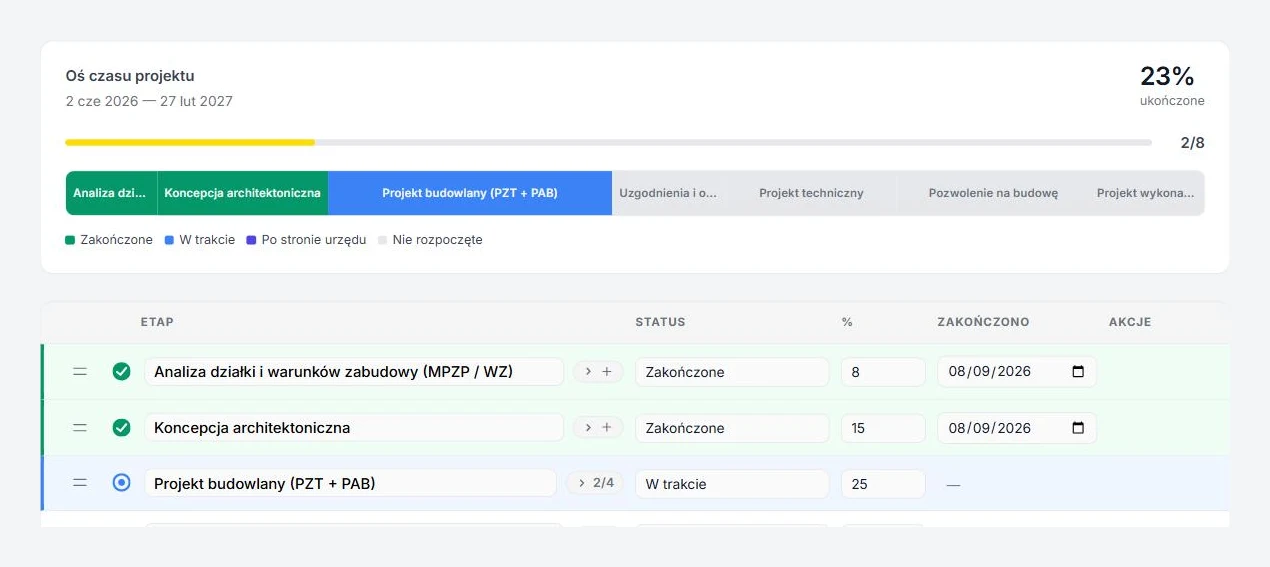
Every stage has a percentage share of the project, a status and a list of subtasks. The timeline shows how far you are, and changes save as you type.
- Statuses: not started, in progress, with the authority, completed, with a completion date
- Stage subtasks with an n/m counter, visible to the client too
- Milestones with a date, e.g. filing the building permit application
- Reorder stages by dragging, sort the chart by status
- Autosave, no Save button
Client portal: link or login
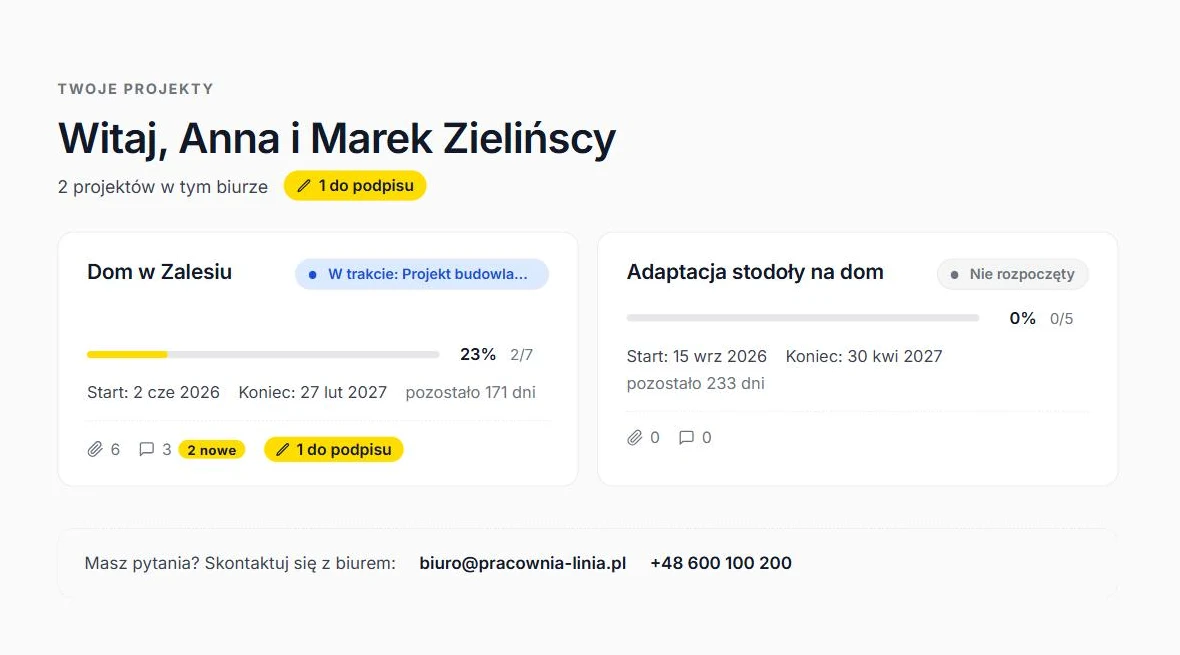
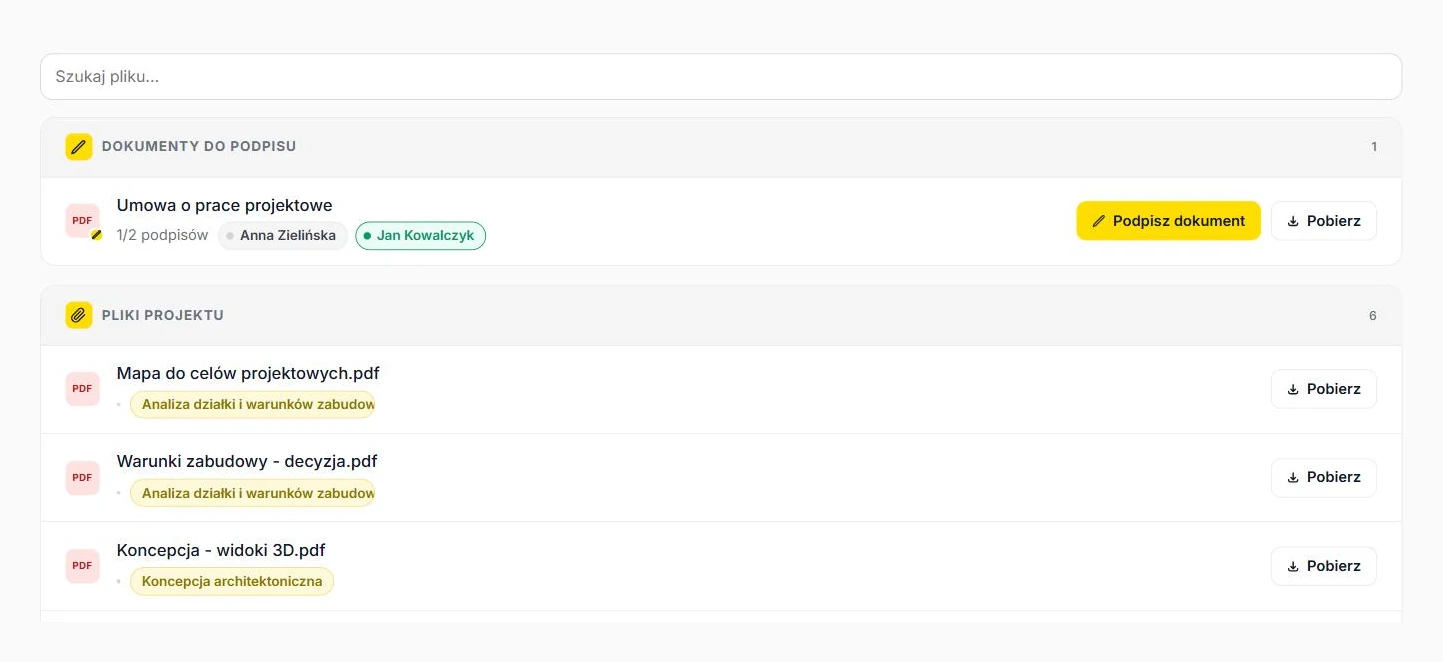
The client gets one link to all of their projects. On arrival they see what changed since their last visit and what they need to do. No accounts, no passwords.
- Project list with progress, stage status and documents awaiting signature
- New-item badges on tabs: completed stages, new files, unread messages
- To-do panel and a “What happened” history
- Current stage with description and tasks, next milestone
- Phone and desktop, Polish and English, office colours
Trusted-profile e-signatures
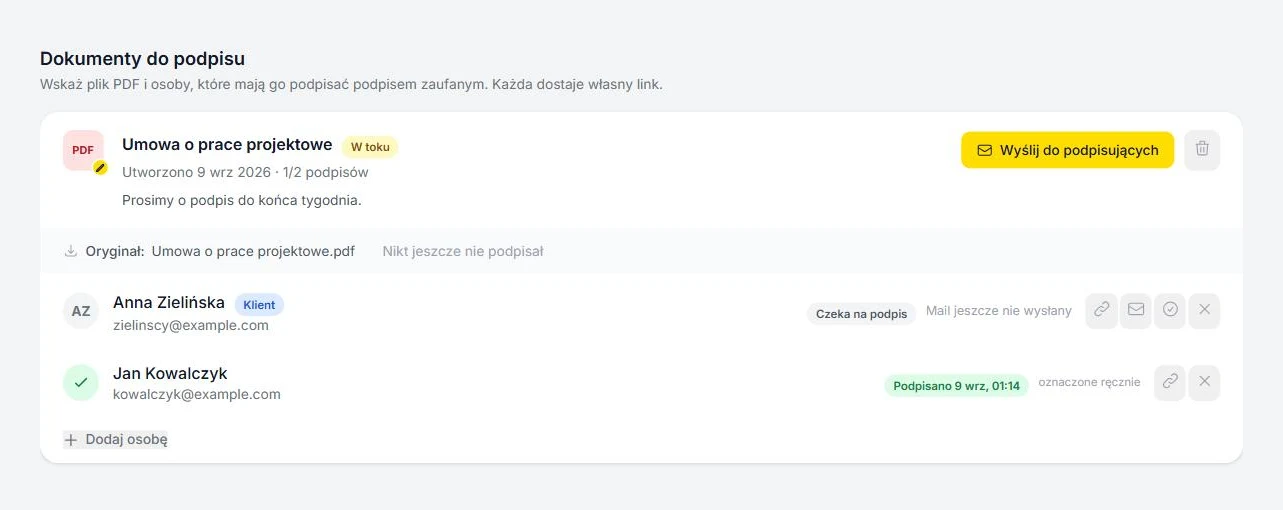
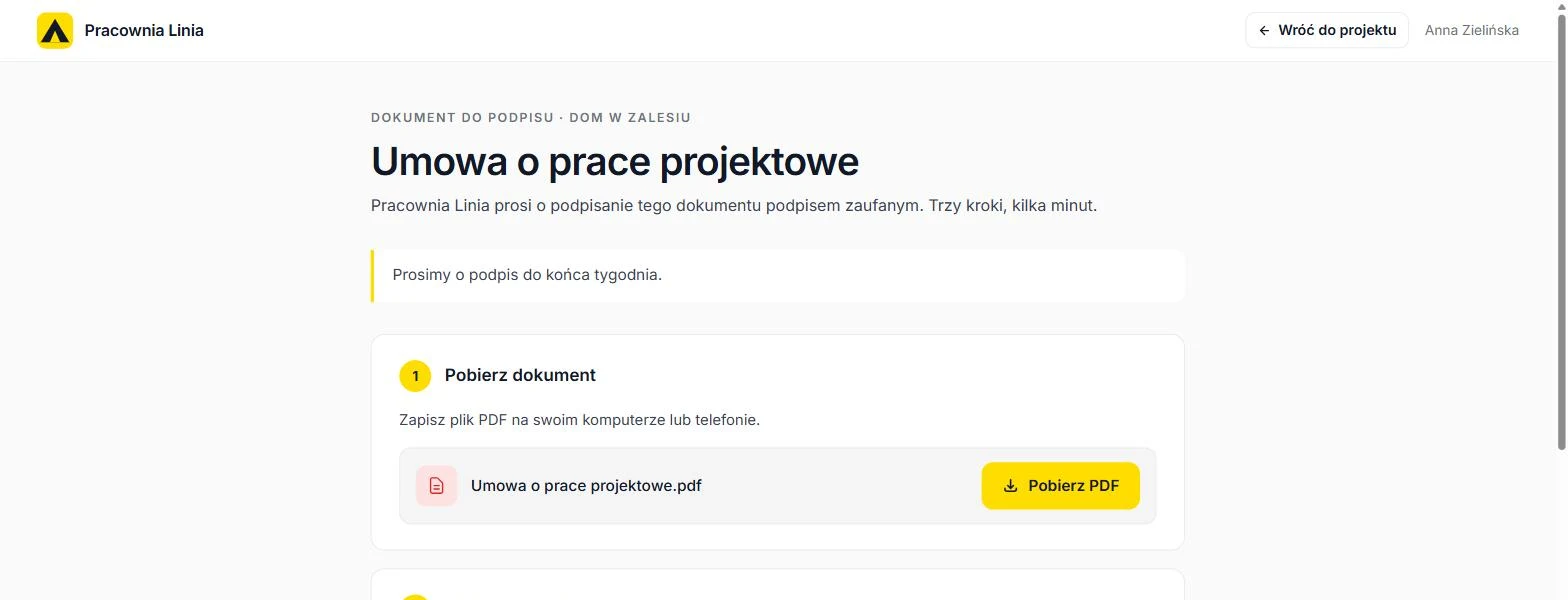
Design contract, site manager statement, neighbour consent. You pick a PDF and the people, each gets a personal link and signs on gov.pl.
- Several people sign one after another in a single PDF
- The client signs from their portal, others from the link in the email
- One-click reminder, view of who has signed and who is pending
- The signed file lands in a Podpisane subfolder of the project folder
- Unlimited documents in every plan
Application, power of attorney and official letter filled from project data
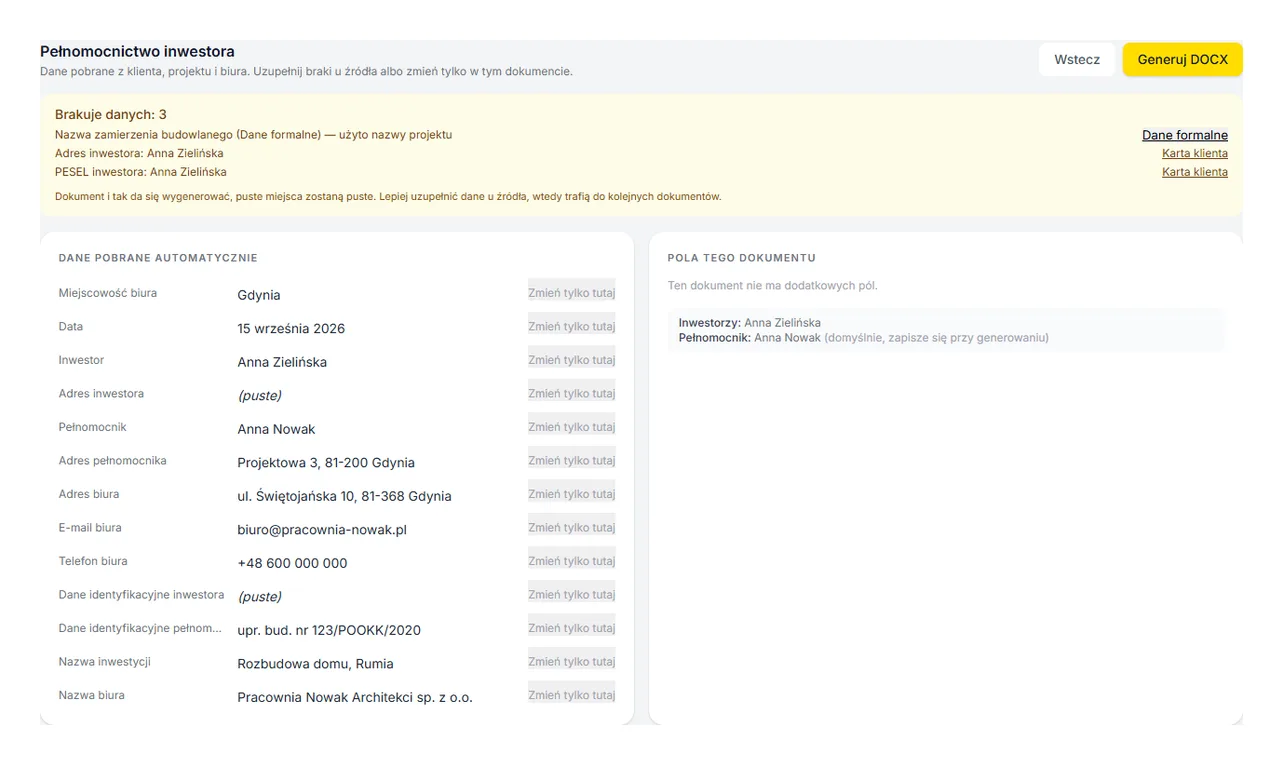
Seven templates built for Polish authorities. Office, attorney, investor, plot and authority data flow in from settings, the client card and the project's formal data. You check the preview, click, and download DOCX or PDF.
- Investor power of attorney, PB-1 (building permit application), PB-5 (statement of the right to use the property)
- Reply to a summons and to a ruling point by point, case number suggested from the latest decision
- Driveway permit application and agricultural land exclusion application, authority found in Google and remembered for future projects
- Missing-data list before generating, with links straight to the field in the client card, office settings or formal data
- DOCX and PDF, edits in Google Docs without leaving ArchiFlow, version history with restore
- The PDF lands in the project folder, from where you send it for a trusted-profile signature
Files on your Google Drive or Dropbox
ArchiFlow does not copy files. You connect the project folder, and listing, uploads from the panel and client downloads run on your own account.
- Project folder picked with the Google Drive Picker or from the office Dropbox
- Upload from the panel with stage assignment, trash for files uploaded via ArchiFlow
- The client downloads files from the portal, grouped by stage, tagged New
- Podpisane subfolder for signed documents
- Files dropped directly into Drive or Dropbox show up as well
Discussion with email notifications
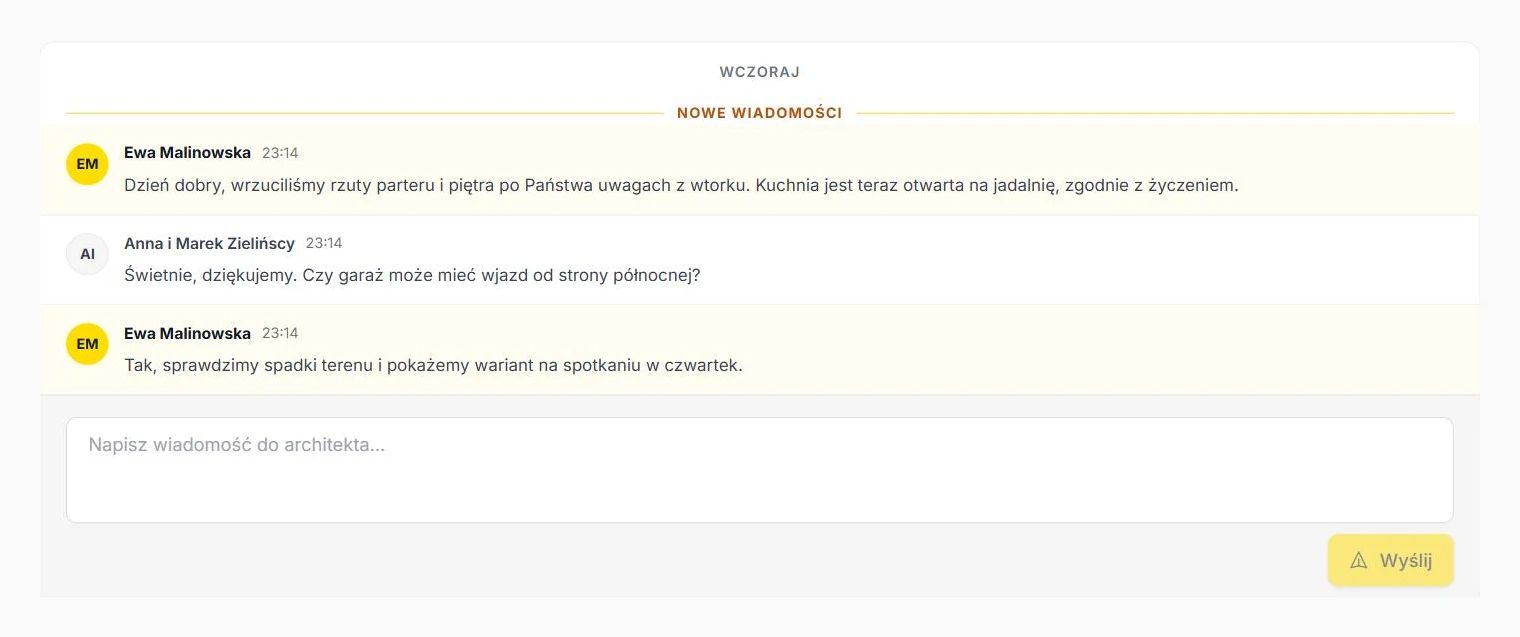
One thread per project, on both sides. The client writes from the portal, the office from the panel, and emails arrive only when something happens.
- The client gets an email about a new office message and a completed stage
- The office gets an email when someone signs a document
- A “New messages” divider and day grouping in the portal
- A “Write a message” button next to the office contact details
Eight ready-made stage sets
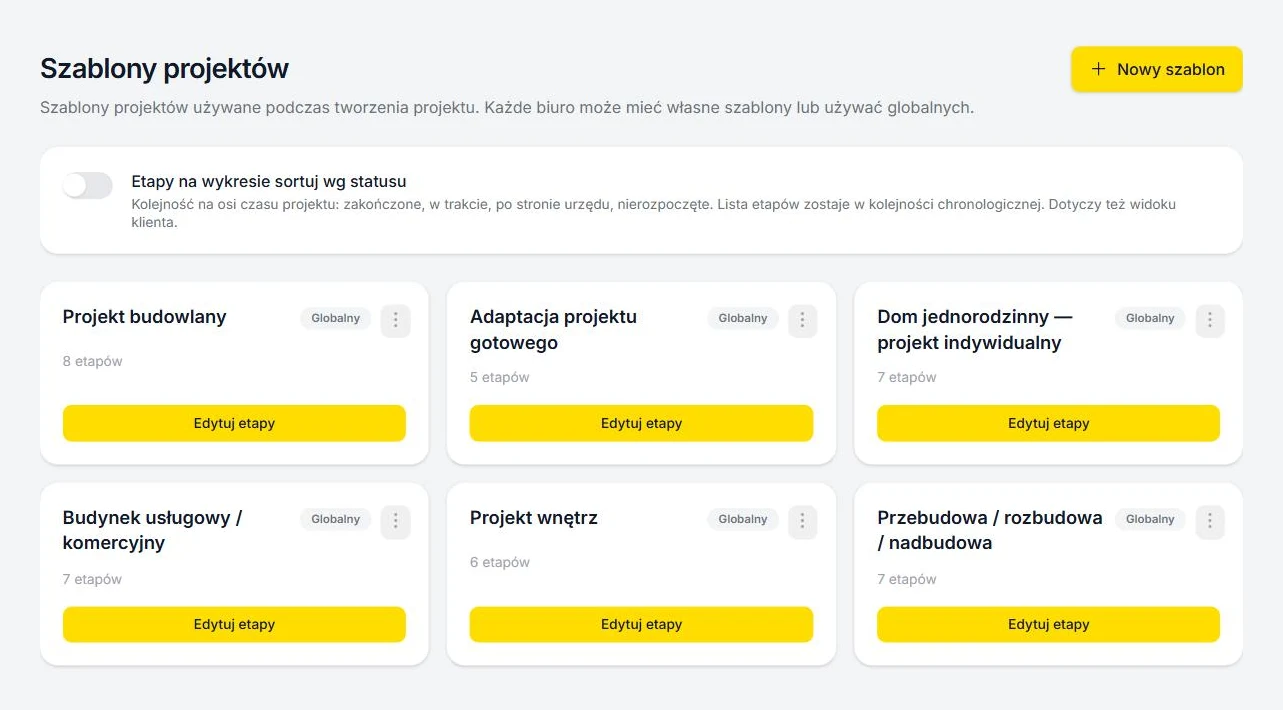
Single-family house, adaptation of a catalogue design, multi-family, commercial, interiors, extension, legalisation, change of use. Pick one when creating the project.
- Stage percentages matched to the typical course of the service
- Copy a set as your own and change anything
- Custom sets with a drag & drop editor, up to 20 stages
- After registration ArchiFlow suggests sets based on the office website
Team and roles
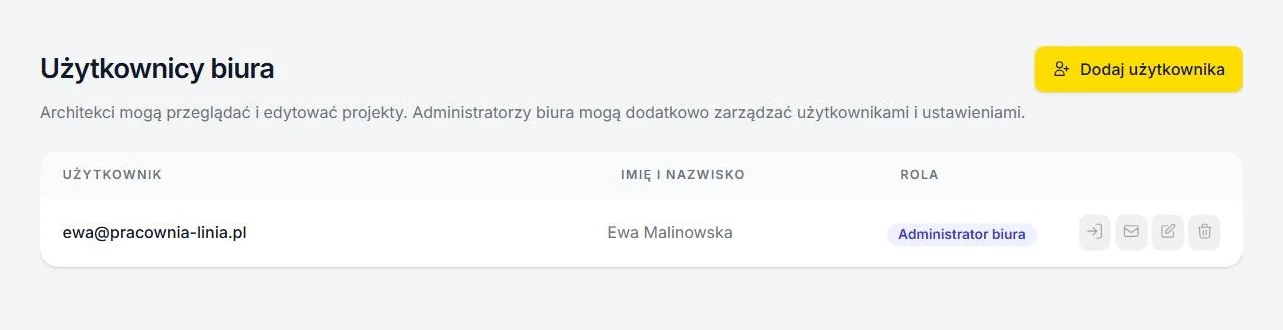
Architects run projects and clients, the office admin manages templates, users and settings. Every office is isolated from the others.
- Sign in with a password or a Google account
- Team invitations by email with an activation link
- An architect cannot delete a client or a project, the admin can
- Office registration from the landing page in two minutes
Your office, your colours
The client portal and the signing page look like yours: logo, accent colour, office name and contact details. The client does not need to know ArchiFlow is underneath.
- Accent colour chosen in Settings, text contrast picked automatically
- Logo and contact details in the portal header
- Client interface in Polish and English, switch in the portal
Your first project
in ten minutes.
Create the office, add a project and send the client a link. No card needed.